JILIKO Deposit Not Credited: What Your Receipt Says About Where the Money Stopped

JILIKO Deposit Not Credited: What Your Receipt Says About Where the Money Stopped
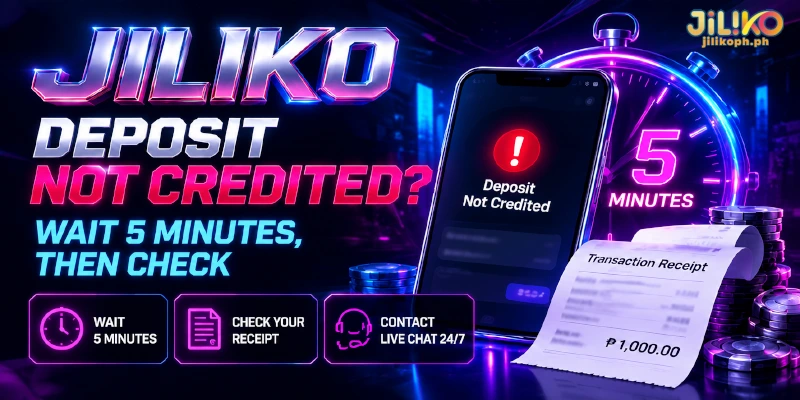
A JILIKO deposit not credited after 5 minutes is the cue to contact customer service, and one check before that shapes what you say: whether your wallet or bank shows the money leaving. JILIKO credits deposits automatically, so a missing credit means the transfer stopped on the way or did not match what the form expected, and where the transfer stopped sets who can fix the problem.
Check Whether the Money Left Your Wallet Before Anything Else
Your wallet or banking app answers the first question: a debit on your side means the money is leaving your account, and no debit means the payment never started. A payment that never started traces to the wallet itself, either a balance below the amount or a limit that GCash or Maya sets for your account level.
Maya’s limits page shows Send Money as unavailable on a Basic account, for example. For a payment to a number, GCash’s Help Center says an error with no deduction means the transfer did not push through, so you can send again.
Start again from the deposit form rather than from the old instructions, because each Submit issues instructions for one deposit only.
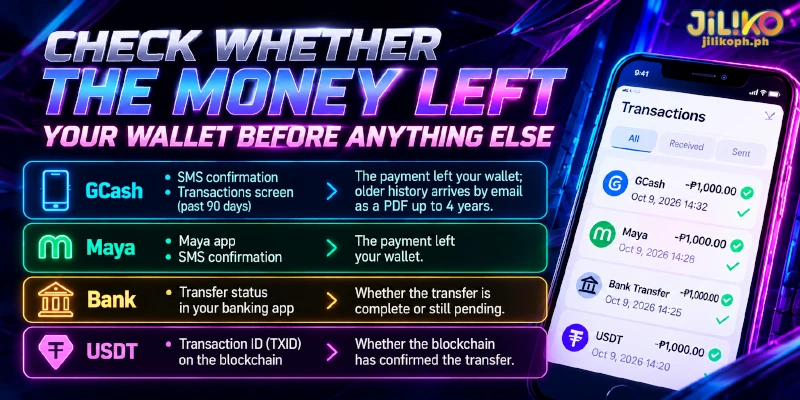
Match your channel to the proof it leaves before you contact anyone: the table shows where each proof appears and what the proof settles.
| Channel | Where the proof appears | What it settles |
|---|---|---|
| GCash | SMS confirmation, plus the Transactions screen, which loads the past 90 days | The payment left your wallet; older history arrives by email as a PDF covering up to 4 years |
| Maya | Maya app and SMS confirmation | The payment left your wallet |
| Bank | Transfer status in your banking app | Whether the transfer is complete or still pending |
| USDT (a token pegged to the dollar) | Transaction ID (TXID), the unique code of a transfer on the blockchain, the public ledger USDT moves on | Whether the blockchain has confirmed the transfer |
Deposits post automatically, so a deposit not credited at JILIKO after a matching debit means the money is still in transit or went somewhere other than the deposit the form expected.
Missing only the welcome package is a different case: you choose the package at the form’s bonus prompt, and the default is Disclaim, which declines every package, so check that choice before treating the deposit as lost.
Wait out the 5 minutes and read your receipt before you press Submit again on a JILIKO deposit not credited, because a second Submit issues a second set of instructions, and a first payment still on its way stays tied to the first set.
JILIKO Deposit Not Credited From an E-Wallet: Match the Receipt to the Form
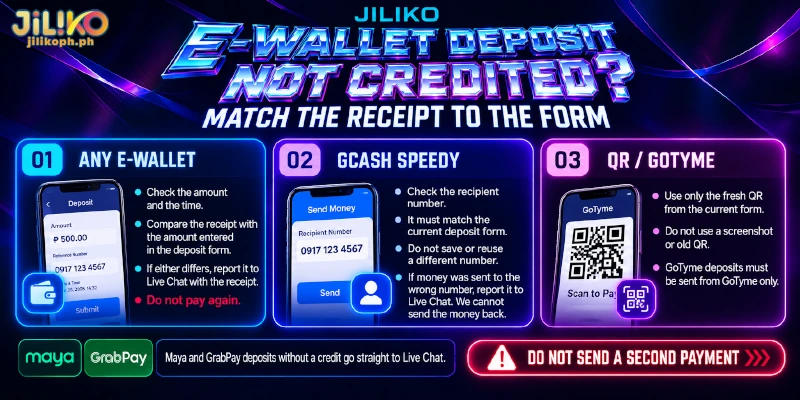
Each case below is a mismatch between receipt and form behind a deposit not credited at JILIKO, from checks for every e-wallet to ones tied to one channel. Maya and GrabPay add no sending condition to the form, so their debits without a credit go straight to Live Chat, your line to customer service.
Any E-Wallet: A Different Amount or a Late Payment
Two details apply to every e-wallet channel: the amount and the time. Compare the amount on your receipt with the amount you entered on the form, and the time on your receipt with the time you pressed Submit, because the form sets a deadline for the transfer.
When you find a deposit not credited at JILIKO and either detail differs, report the difference to Live Chat with the receipt instead of paying again.
GCash Speedy: The Number You Typed or Saved
Spotting a different number on the GCash receipt than on the current deposit form is the sign of a GCash Speedy deposit not credited at JILIKO. Do not save the receiving number from an earlier deposit, because the form shows the number for each new one.
For a payment sent to the wrong number, file two reports at once. In GCash’s Help Center the route is Transactions, then the Send Money transaction, then Get help, then “I sent money to the wrong number”; GCash replies within 1 to 3 business days.
GCash asks for the report within 15 days and can reverse a payment only when the recipient’s account is inactive or not in use, so file the report on the day you notice the mismatch and send the same receipt to Live Chat, because the number may be one from an earlier deposit.
GCash QR Code and GoTyme: A Stale Code or a Foreign Source
On both channels, every deposit brings a fresh QR code that the form does not store. The sign is a payment made through a code from a screenshot, a saved image or an earlier form, which belongs to a previous deposit and leaves the newer JILIKO deposit not credited.
GoTyme adds a second condition: the channel accepts transfers sent from GoTyme only, so a debit from another e-wallet or a bank leaves a GoTyme deposit not credited at JILIKO.
Once the payment is made, do not send a second payment to fix the first; send the receipt to Live Chat. Next time, scan only the code on the screen in front of you, and choose the channel that matches where your money sits.
A Bank Deposit on the Slower Rail Misses the 5-Minute Notice
Bank transfers in the Philippines travel on two transfer systems, called rails, and only one of them credits in real time. Security Bank’s help page lists InstaPay as a real-time credit for up to ₱50,000 per transaction.
That page lists PESONet as a same-day or next-day credit for up to ₱500,000, depending on the cut-off time, the daily point after which a transfer waits for the next batch. Your own bank can set lower limits than these figures.
PESONet transfers from your banking app cannot meet the 5-minute notice on the Bank channel. The sign is a JILIKO deposit pending in your banking app while your balance stays unchanged, and a bank deposit not credited at JILIKO in real time points to the slower rail.
Choose the real-time rail whenever the app offers both. For a transfer already sent by PESONet, the credit follows the bank’s cut-off, so read the status in your banking app before you contact Live Chat.
For example, with made-up amounts, a ₱20,000 deposit sent by PESONet can credit the same day or the next, depending on the cut-off, while the same ₱20,000 sent by InstaPay reaches Unionbank of the Philippines, the bank listed on the Bank channel, in real time.
PESONet’s higher ceiling of ₱500,000 gives a deposit nothing, because JILIKO accepts at most ₱50,000 per transaction, and what PESONet adds is a later credit.
Why a Completed USDT Transfer Can Still Miss Your Balance
Your wallet or exchange can call a USDT transfer complete while the blockchain is still confirming the transfer, or after the transfer went out on a different network from the one you chose on the deposit form. In both cases you have a USDT deposit not credited at JILIKO.
The TXID tells you which: paste the TXID into a block explorer, a public site that lists blockchain transfers, and the result shows the amount and the confirmation status. A transfer that is not yet confirmed waits in a queue of pending transactions, so wait for the explorer to show the transfer confirmed before you contact Live Chat.
USDT deposits work on the TRC or ERC network, and you pick one on the form. A transfer sent on the other network can be lost for good, because the sender cannot recall a blockchain transfer.
If the two networks differ, send the TXID, both network names and the amount to Live Chat. Whether such a transfer can be recovered is a question only customer service can answer.
Take the Receipt to Live Chat After 5 Minutes
Open Live Chat once the receipt shows a debit and 5 minutes have passed, with your username, the amount, the Submit time and the receipt or TXID. GCash takes a payment sent to someone else’s number, the bank settles a transfer still pending, and customer service takes a JILIKO deposit not credited after a matching debit. Any JILIKO deposit problem also reaches support 24/7.