How to Make a JILIKO Deposit: Pick From Seven Channels, Then Fill In the Form

A JILIKO deposit can reach ₱50,000 per transaction, and a minimum deposit at JILIKO can be ₱50 on Maya and GoTyme and is usually ₱100 elsewhere. Seven channels take a deposit, and they differ in three ways. GrabPay stops at ₱5,000, only Bank, GoTyme and USDT (a token linked to the dollar) add a 2% bonus, and some channels set a condition on how you send the money.
Seven Channels, Side by Side
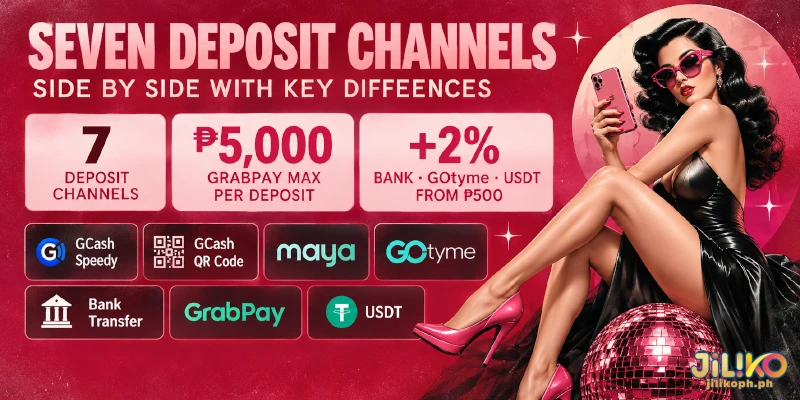
The table sorts all seven JILIKO deposit methods, from e-wallets such as GCash, Maya and GrabPay to Bank and USDT, by amount range, 2% bonus and sending condition. Each channel splits into sub-channels with separate limits, and some cap a deposit between ₱20,000 and ₱45,000, so each range is an outer bound.
| Channel | Amount range | 2% bonus | Condition to know |
|---|---|---|---|
| GCash Speedy | Usual minimum ₱100; ceiling set by sub-channel | Not offered | Do not save the number you send to |
| GCash QR Code | Usual minimum ₱100; ceiling set by sub-channel | Not offered | New QR code every deposit |
| Maya | From ₱50 on some sub-channels | Not offered | Tagged HOT on the form |
| GoTyme | From ₱50 on some sub-channels | Yes, from ₱500 | Send from GoTyme only; new QR code every deposit |
| Bank | Usual minimum ₱100; ceiling set by sub-channel | Yes, from ₱500 | Listed bank: Unionbank of the Philippines |
| GrabPay | Up to ₱5,000 per deposit | Not offered | No condition beyond the ceiling |
| USDT | From ₱500 | Yes, from ₱500 | TRC (Tron) or ERC (Ethereum) network |
Read the table from the left: range first, bonus second, condition last. Maya, tagged HOT on the form, is the other channel that can open at ₱50 next to GoTyme, though Maya carries no 2% tag.
As a worked example with made-up amounts, a ₱10,000 deposit at JILIKO through Bank, GoTyme or USDT earns an extra ₱200, a ₱499 deposit through the same channels earns nothing because the 2% starts at ₱500, and a ₱10,000 deposit cannot be made in one GrabPay transaction.
Two amounts sort the channels. Below ₱500 no channel earns the 2%, so the account that holds your money decides. From ₱500 Bank, GoTyme and USDT add the 2%, and above ₱5,000 GrabPay drops out and the sub-channel’s own ceiling decides.
Fill In the JILIKO Deposit Form, From Cashier to Submit
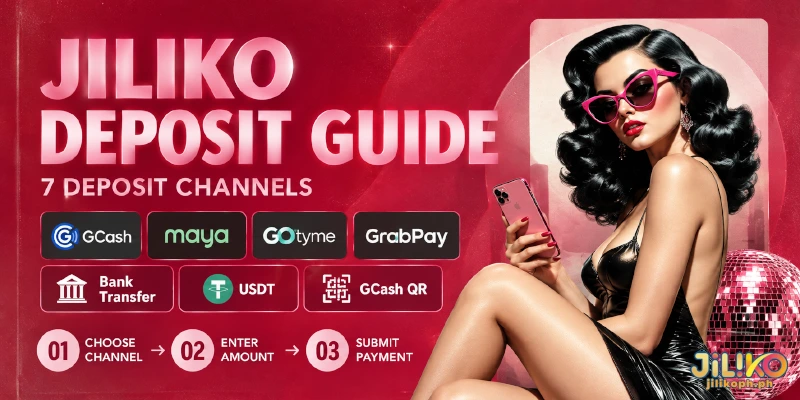
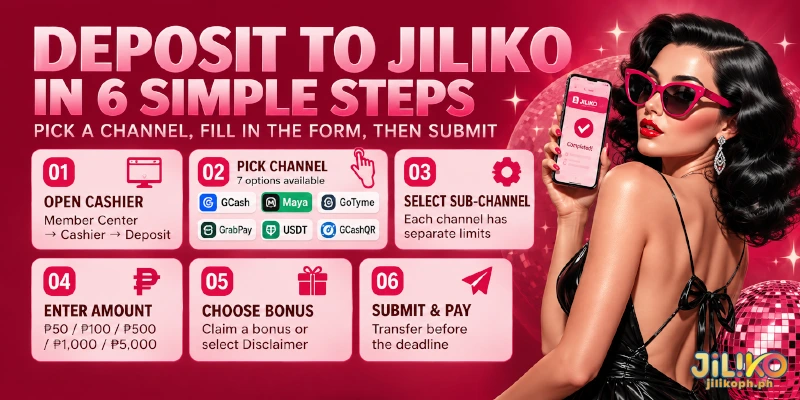
Once you have a channel in mind, you cash in at JILIKO through one form that is the same on all seven, so these six steps apply to every deposit.
- Open the form with the Deposit button in the header, or go to Member Center, then Cashier, then Deposit.
- Pick one of the seven channels: GCash Speedy, GCash QR Code, Maya, GoTyme, Bank, GrabPay or USDT. Your pick decides which sub-channels appear next.
- Pick a sub-channel. Each sub-channel sets separate limits, so the range on screen can be tighter than the range for the whole channel.
- Enter the amount, or press a quick button: 50, 100, 500, 1000 or 5000. The 500 button already meets the minimum for the 2%.
- Answer “Would you like to claim your bonus?” by choosing a bonus, or leave the default, Disclaim, to deposit without one.
- Press Submit, then send the money before the deadline the form sets for the transfer.
On a first deposit between ₱100 and ₱3,000, step 5 is also where you choose one of the two welcome packages, once per person, and the welcome rules do not allow combining a package with other promotions.
JILIKO credits every deposit automatically, and every channel shows the same notice once you have sent the money: if the money has not arrived after 5 minutes, contact customer service, which is open 24/7 through live chat. Steps 2 to 4 fix the limit, step 5 fixes the bonus, and step 6 starts the deadline for the transfer.
Conditions That Change by Channel
All seven channels share the form, but four of them come with conditions that change how you make a deposit at JILIKO or whether the deposit earns the 2%, so each gets a separate note below. GrabPay and Maya have no condition beyond the table.
GCash: A New QR Code Each Time, No Saved Number
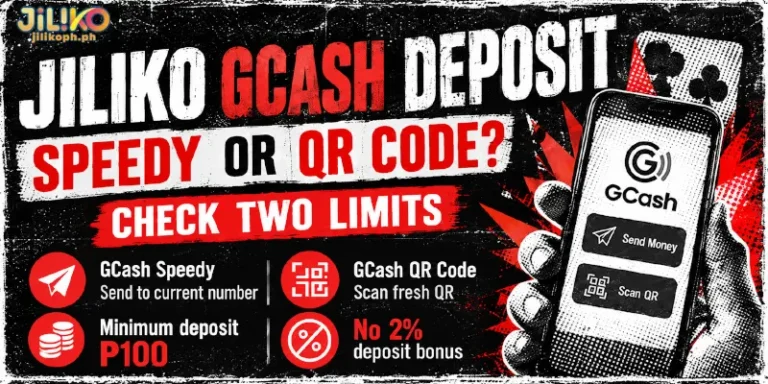
On the GCash QR Code channel, every deposit at JILIKO generates a new QR code, so do not scan or save a code from an earlier deposit. Where a GCash sub-channel gives you a phone number to send to, do not save that number for next time either. Neither GCash channel carries the 2% tag.
GoTyme: Send From GoTyme, With a Fresh QR Code
GoTyme deposits at JILIKO accept transfers sent from GoTyme only, so choose GoTyme when the money sits in a GoTyme account and pick another channel when the money sits elsewhere. As on GCash QR Code, each deposit generates a new QR code that you should not save. GoTyme also carries the 2% from ₱500.
Bank: Unionbank of the Philippines, With the 2% From ₱500
The form lists Unionbank of the Philippines for the Bank channel, and a bank deposit at JILIKO earns the 2% from ₱500, the same threshold as GoTyme. Your own bank also caps transfers on top of the ceiling on the form, so check that cap before sending a large amount.
USDT: TRC or ERC Network, From ₱500
USDT deposits at JILIKO run on one of two blockchain networks, the systems that record and move the token: TRC or ERC. Deposits start at ₱500, which is also the threshold for the 2%, so a USDT deposit always qualifies.
Send on the network you selected on the form, because you can lose money sent on the wrong network for good. Each network sets separate fees, and those move with congestion.
Three of these four channels also carry the 2%, which leaves GCash as the only one here with a sending condition and no bonus tag.
FAQ
The form and the table settle how a deposit goes in, so the three questions below cover what a JILIKO deposit earns afterwards and where you can make one.
Does the 2% Deposit Bonus Come With a Wagering Requirement?
Yes, a 1x requirement. JILIKO adds the 2% to your balance automatically after a successful Bank, GoTyme or USDT deposit of ₱500 or more, and a JILIKO deposit earns it every time, with no limit on how often.
Can I Make a JILIKO Deposit From the App?
Yes. The app mirrors the website’s features, deposits included, so the seven channels, the sub-channels and the six steps above work the same way there. The Download page is where you get the app.
Do Deposits at JILIKO Count Toward My VIP Level?
Yes. From VIP 3 upward, a level depends on three measures: total deposited, number of deposits and total bets, so every deposit at JILIKO adds to the first two.
Check Three Differences Before You Press Submit
Seven channels share one form, and they differ in three ways: how high a deposit can go, whether the deposit earns the 2%, and what the channel asks of the money you send. All three can be checked before you press Submit, so a JILIKO deposit leaves only the transfer itself to do.