
JILIKO Login: Pick Your Route and Sign In Step by Step

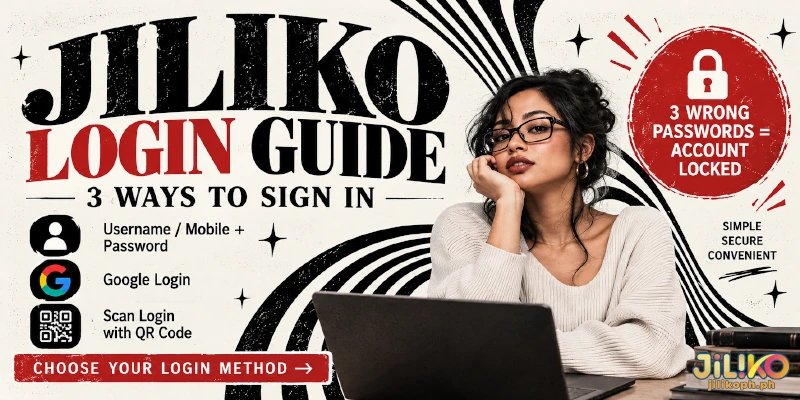
A JILIKO login offers three ways in, and only the password route can lock your account, on the third wrong password. At JILIKO, the login popup takes a username or mobile number with a password, Google, or Scan Login, which uses the QR code on the web login screen. Google and Scan Login never ask for the account password, so the lock cannot reach them.
Three Ways In, and What Each One Needs
Each login at JILIKO needs something different in your hand: a remembered password, a Google account, or a phone with the app installed. The table pairs each requirement with the situation where that route fits and the risk that route carries.
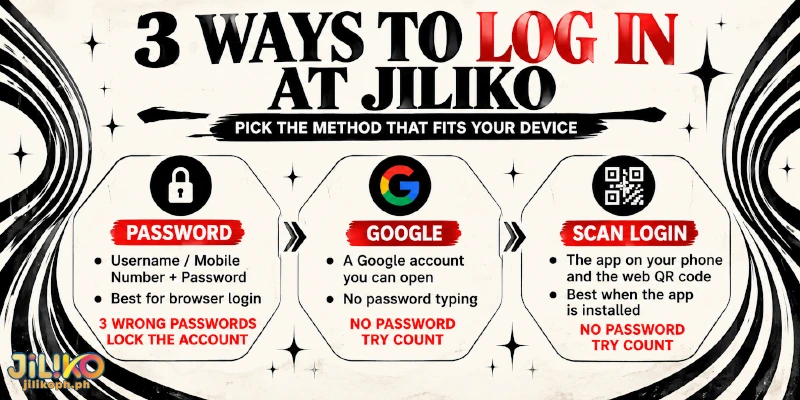
| Way in | What you need | Fits when | Watch for |
|---|---|---|---|
| Password with Username or Mobile Number | Your username or registered mobile number, plus your password | You are on a browser and remember the password | Three wrong passwords lock the account |
| A Google account you can open on this device | You would rather not type a password | Your Google account, not a password typed into the popup, is what gets checked | |
| Scan Login | The app on your phone and the QR code on the web login screen | The app is already installed and a screen is waiting | Needs the app first, so a web-only visitor has nothing to scan with |
Start with the device, not the habit. With no app installed, the password or Google is the only road open, and with the app already on your phone, Scan Login spares you the password you may be least sure of.
How the Password Route Works for a JILIKO Login, Step by Step
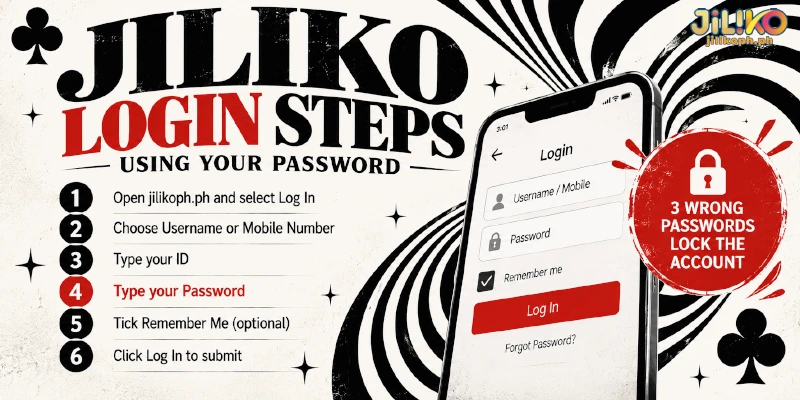
You complete the password login at JILIKO in six actions, and the fourth carries a penalty, because every wrong password counts toward the lock.
- Open jilikoph.ph and select Log In to open the login popup. Look-alike sites copy the brand name, and a password typed on one of them goes to someone else, so check the address bar first.
- Use the toggle on the popup to choose between Username and Mobile Number as your ID. Pick the one you can type without checking another screen.
- Type that ID in the first field. A mobile number works only when the account has that number registered.
- Type your Password. Three wrong passwords lock the account, and only Forgot Password reopens the account, so stop and retype slowly after a miss instead of trying variations.
- Tick Remember Me only on a device that nobody else uses.
- Select Log In again to submit.
After two wrong passwords at a JILIKO login, one attempt remains, so the third try deserves the same care as the first. The lock cannot tell a tired owner from a password guesser, so both lose the account on the third miss.
Only the password route counts wrong tries, because Google and Scan Login skip the password field entirely.
Once the account is locked, Forgot Password is the way back: you enter your Username, choose Mobile Number as the verified method, the channel that confirms you own the account, and finish with a Verification Code. A number you no longer hold turns that self-service reset into a request to customer service.
When Google Login or QR Login Fits Better
Google and Scan Login swap the password for something else you hold: a Google account in the first case, the app on your phone in the second. Neither route types an account password into the popup, so neither adds to the three-try count, and both let you log in at JILIKO when you cannot recall the password.
Google Login at JILIKO: Fits When You Would Rather Not Type a Password
Google login at JILIKO hands the identity check to your Google account instead of a password typed into the popup. The same popup offers Google as an alternative to typing a password, so one screen holds both routes.
QR Login at JILIKO: Fits When the App Is Already on Your Phone
QR login at JILIKO starts on the web login screen, where Scan Login shows a QR code, and the app on your phone does the scanning. The app carries the same features as the website, so a phone with the app can start the sign-in for a computer screen.
With no app installed yet, the password or Google route is the faster way in today.
What Remember Me and Login Verification Change
Remember Me on the JILIKO login popup keeps a browser signed in, so the next visit skips the popup. That saves typing on a personal laptop and gives anyone who sits down at a shared computer the same open account, which is why step 5 limits the tick to a device nobody else uses.
Login Verification, found among the account details, is the name of the account’s two-factor check (2FA), a second proof beyond the password. Once you switch Login Verification on, a leaked password alone no longer completes a login at JILIKO, which guards against the lock’s opposite problem: someone else getting in on the first try.
FAQ
The routes and the lock rule above leave three questions about the account around a login.
Where Do I Find the Login Verification Switch?
Open Member Center, select Profile, then Personal Information. The switch for your login at JILIKO sits there among the account details.
What Should I Do After Typing My Password on a Look-Alike Site?
Set a new password through Forgot Password on jilikoph.ph right away, and replace the password on every other service that uses the same password. A password typed into a copy of the popup reaches whoever runs that copy. Switch on Login Verification too, and tell customer service through Live Chat, which answers 24/7, if the account changes without you.
Do I Need Level 2 Verification to Log In at JILIKO?
No. A login needs only your username or registered mobile number with the password, or one of the two routes that skip the password. Level 2 verification, which asks for your first name, last name and birth date in Personal Information, is a separate step that matters for promotions such as Download App 88, not for signing in.
One Number Decides How a Lock Ends
Choosing a route by device settles which JILIKO login can lock the account; the registered mobile number settles how a lock ends, because the same number is both the ID in step 2 and the verified method Forgot Password uses.